Article Highlights
- Use conventional code for work that does not require AI reasoning, including presentation-layer tasks handled by a user interface.
- Batch predictable work when immediate responses and live interaction are not required, then use bounded feedback loops to improve output.
- Manage total token cost by testing input context, output length, model choice, and job structure without sacrificing quality.
- Guide Claude with response structure and user-value goals so spending stays focused on useful outcomes.
As the author (and instructor) for two of Learning Tree’s Anthropic/Claude courses (“Leveraging Claude Code in Application Development” and “Exam Prep: Claude Certified Developer (CCDV-F)”), I try very hard to convey both great technical information and good development advice to those course’s participants. What gets left out of those courses is managing cost (we only have two or three days to cover a lot of territory, after all). Here’s what I’ve learned about building efficient applications at scale in the most efficient way possible.
My company is CIAI and the product we’re building is called “ci:ai exam prep” – it’s a Web site aimed at IT professionals preparing to take certification exams. The application provides a variety of services to its customers, all enabled through Anthropic’s Claude: ‘always fresh’ exams, customized drills in both technical knowledge and exam skills, personalized study guides, targeted exam reviews, and insightful (we hope) explanations of certification topics…and, we hope, at a low enough cost to show a profit.
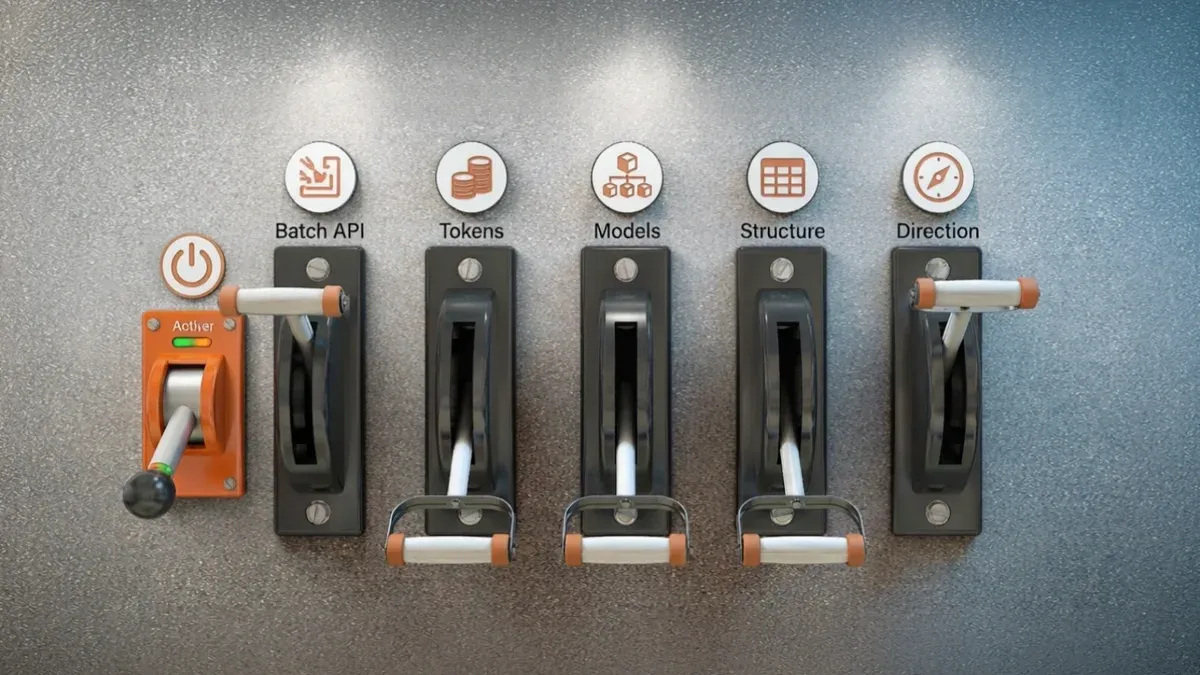
Leveraging Claude tools enabled us to deliver those services, but Anthropic’s tools come with a cost, which we needed to control: “Lower cost is better as long as quality stays high” was our mantra, Finding the ‘secret sauce’ to get to our lowest cost with the highest quality came down to experimenting with pulling on six levers.
Cost optimization framework
Six Levers for Managing Claude Costs
Lower cost is better as long as quality stays high.
Gateway · Lever 0
Ask this before optimizing
Avoid Unnecessary AI
Does this need AI at all? Use code when AI reasoning isn’t needed.
Work design
Lever 1
Batch Predictable Work
Trade immediacy for lower cost.
Inference economics
Lever 2
Optimize Token Flow
Reduce expensive output tokens.
Lever 3
Test the Right Model
Match model capability to each task.
Output value
Lever 4
Structure Responses
Guide output toward useful depth.
Lever 5
Direct Toward Value
Focus spending on user goals.
After the gateway decision, choose the levers that fit the work. They are not a fixed sequence.
Lever 0: Don’t Use Claude
You should only throw work at Claude when you need its resources. Everything that doesn’t require AI should be handled by code. We don’t expect Claude to do anything UI-related, for example: Our Claude jobs return JSON, never markdown, with information structured to support parsing by our UI. Presenting the output of Claude’s work to our users is handled by client-side code running on our users’ computers (and, therefore, is effectively free).
Lever 1: Batch API
Jobs run through Anthropic’s Batch API cost half as much the same job run synchronously from an application’s UI (in our experience, actually less than half). The downside of the Batch API is that (a) you’ll get your response in, potentially, hours and (b) you can’t interact with Claude while the job runs.
To take advantage of the Batch API, for some of our resources, we predict what our users will need and generate those resources in batch beforehand, so that those resources are waiting when our users need them. Where creating those resources require feedback and “course correction,” we build the jobs using loops that run a task, examine the output for problems, and then re-run the job with improved input or tweaks (with a limit to a specific number of cycles to prevent runaway processing). Two or three cycles in the Batch API give us high quality output at a lower cost than running outside of the Batch API.
Lever 2: Tokens
You pay for every token you pass to Claude and every token you get back (“tokens” aren’t exactly “words” but they’re close enough for this discussion). Two things to remember: (1) Token cost varies by model and (2) Output tokens cost more than input tokens. The “unobvious” conclusion is that using a more expensive model or providing more input tokens (context) can save you money, provided the result is fewer output tokens (without harming quality).
Token-cost balance
How Better Context Can Lower Claude Costs
More input can be worthwhile when it reduces costly output.
Starting point
Provide More Relevant Context Up Front
Relevant context can come from the user or the application.
More relevant context + added input-token cost → fewer output tokens → potential net savings
Output tokens cost more per token; rates vary by model.
Only when output savings exceed added input cost—and quality holds.
Potential outcome
Potentially Lower Cost and Faster Response
Fewer output tokens may reduce total cost and response time, but the result must be tested.
More context is not automatically cheaper. Compare total input and output cost while maintaining response quality.
For example, there’s a hard limit to the number of tokens (input + output) that can be used in a Batch API job. As we added processing to one of our Batch API jobs to provide more features, we crossed that boundary and our jobs crashed out without completing. Rather than give up the Batch API, we split that job into two parts. Each part required the same number of input tokens as before, but produced only half the output tokens. All we needed to do was merge the two parts in code after each job completed and we still got our Batch API savings.
In another case, we substantially reduced our costs by having our users specify more information up front. That extra context reduced our output tokens, which not only reduced costs but improved response time.
Lever 3: Models
In development, it’s always worthwhile to experiment with different models, if only to discover that you’ve got the right one already.
Shifting down to a model with a lower token cost is the obvious takeaway here. We have some tasks running on Haiku (Anthropic’s cheapest and fastest model) that I originally targeted for Sonnet (Anthropic’s workhorse model). We found, however, that using Haiku for those jobs substantially lowered our costs without impacting quality.
But it can also make sense to move up. We had one job running on high effort on Sonnet that we moved up to Opus on low effort. Did we save money? Actually…no. But our costs stayed flat and we got substantial improvement in quality. Better quality for the same cost, we decided, counted as a saving.
Anthropic brags that Opus 5.5 is both faster and cheaper than other versions of Opus while providing the same quality. Our experience supports that.
Lever 4: Structure
Claude seems to feel that “If more is good, think how much better even more more will be.” That turned out to be an issue with Mentor, one of the features on our site: Ask about a subject in a domain and Mentor will explain it to you.
When we started building out Mentor, I didn’t have much faith that it would produce anything valuable. And, initially, I was right: In response to any question, Claude either produced too terse explanation to be helpful or dumped an overwhelming amount of information. Specifying an arbitrary size target for output didn’t help: Whatever target we set may have worked for some explanations but was either too much or too little for others.
What did improve quality was providing Claude with a structure of what every explanation should look like: What sections an explanation should have and how they should relate to each other. We not only got higher quality output but providing a flexible structure for what Claude produced also reduced our costs.
Lever 5: Direction
If you leave Claude to its own devices, Claude will decide what your goals are…and those may be more expensive one than you want to pay for. We’re creating a site that supports a very specific goal: helping users learn the material to pass a certification exam. At times, Claude seemed bent on ingesting every fact in the world.
During development, we stopped frequently to outline to Claude what would be genuinely valuable for our users. That information didn’t immediately drive changes to our application but it did frequently change Claude’s long term behavior: Knowing our goals ensured that, when Claude spent our money, Claude spent it on what mattered to our users. As a side effect of our obsession with costs, Claude now counts and reports every penny (literally) it spends, even during development – we can’t get it to stop.
It turns out that if you tell Claude what your quality goals are and then experiment with the six levers to find each job’s “secret sauce,” you can end up with a lean, mean, thinking machine.
Frequently Asked Questions (FAQs)
What is the first lever for reducing Claude costs?
The first lever is to avoid using Claude when ordinary code can do the work. In the author’s application, Claude jobs return structured JSON, while client-side code handles presentation and other user-interface work.
When is Anthropic’s Batch API useful?
The Batch API is useful for predictable work that does not require an immediate response or live interaction. The author describes generating some resources in advance and using bounded feedback loops for work that needs review and correction.
Can providing more context reduce total Claude cost?
It can when the added input produces a more focused response with fewer output tokens and does not reduce quality. The article recommends testing total cost rather than assuming that either shorter prompts or more context will always be cheaper.
How should teams choose among Claude models?
Teams should test models task by task. A lower-cost model may maintain quality for some jobs, while a more capable model at a lower effort setting may improve quality without increasing total cost in other cases.